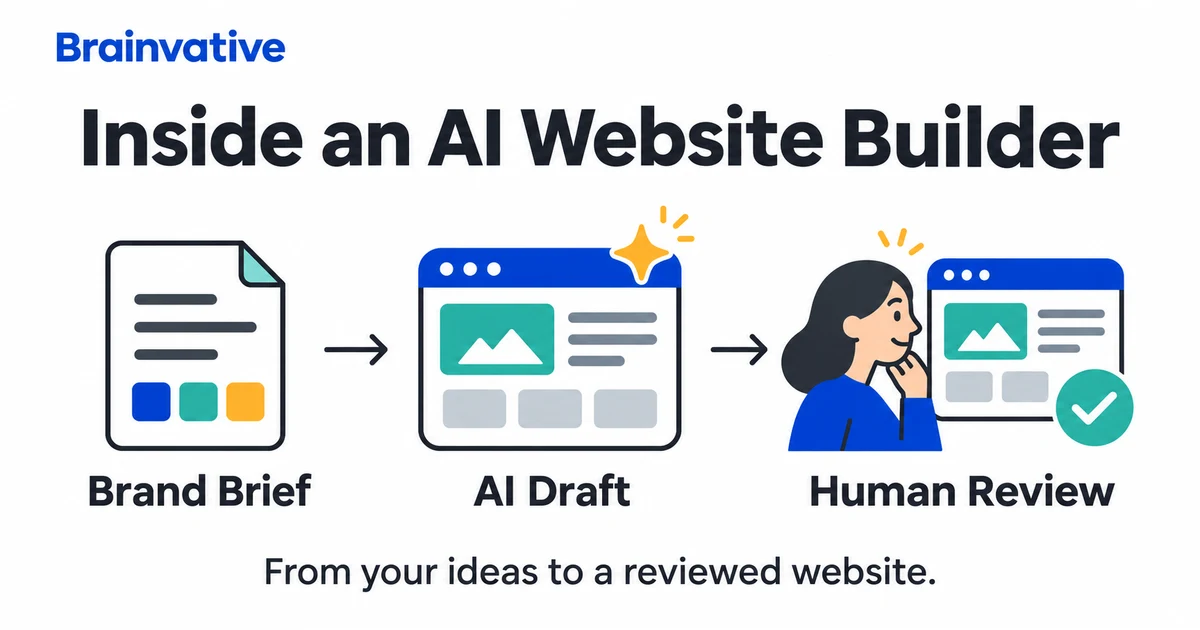

An AI website builder can turn a short description into a proposed site structure, copy and visual design. That is a useful starting point, but a convincing preview does not prove that the tool understands your business or that the finished site will generate enquiries.
In this context, "understanding your brand" means using the information you provide to produce a relevant draft. It does not mean independently verifying your services, customers, claims or competitive position. The practical question is how to give the builder enough direction, then check the result before customers use it.
What happens between a brief and a website draft?
The exact process varies by platform. Some builders work within an established visual editor and component system; other tools generate application code. Their interfaces, integrations and deployment options are not interchangeable. Without a vendor's technical documentation, it would be speculation to claim that every builder uses the same model, image-recognition system or conversion dataset.
A useful way to review the workflow is to separate four stages:
- Input: your business description, audience, pages, assets and constraints.
- Proposal: a suggested navigation structure, content and visual treatment.
- Implementation: editable sections or code, with the functionality the platform supports.
- Review and launch: checking the facts, experience, integrations and publishing settings.
This is a review framework, not a universal description of a vendor's internal architecture. It helps identify where a visually attractive result may still be incomplete.
Two documented examples, not a universal feature promise
Wix: business details followed by design refinement
The Wix Editor guide to AI-generated sites describes answering questions, generating a design and then refining the brief, theme, layout or site structure. This shows an iterative process: the supplied details inform a draft that the owner can adjust.
It does not demonstrate that every generated statement is correct or that a design is ready for every business. Review the documentation for the specific Wix product you use, because different editors and workflows can have different capabilities.
Webflow: a prompt, site structure and editable theme
Webflow's AI site builder documentation describes generating structure, content and a theme from a site description, with opportunities to adjust pages and layouts. It also documents eligibility restrictions: the workflow applies to a new site or an existing AI-generated site, not every existing Webflow site.
These are examples of documented workflows, not a recommendation to buy either product. Check current plan limits, supported integrations and export options against your requirements before committing.
Give the builder decisions, not just adjectives
"Make it premium and modern" leaves important questions unanswered. A better brief explains what the visitor needs to do, which information is approved and which details the tool must not invent.
- Business: name, actual services, location and service boundaries.
- Audience: who is buying and what they need to know before contacting you.
- Primary action: request a quote, buy a product, book an appointment or another defined task.
- Brand assets: approved logo, colour values, fonts and licensed photographs.
- Content: verified prices, process, exclusions, contact details and permitted testimonials.
- Functionality: forms, booking rules, payments, account access and integrations.
- Constraints: existing URLs to preserve, required languages and unsupported claims to avoid.
Illustrative brief: "Create a four-page website for a furniture repair business serving its confirmed delivery area. Use the supplied logo and real workshop photos. Explain repair categories and the quotation process. The main action is a quote request. Do not invent prices, reviews, certifications or response guarantees. Flag missing information for approval."
This is a planning example, not a client project. Its value is specificity: the reviewer can compare the output with explicit requirements.
Brand consistency still needs a human check
Providing a style guide as context is not necessarily the same as training a model on your brand. Do not assume the platform permanently learns a voice, remembers every rule or applies it consistently to future pages. Keep an approved reference and compare new output against it.
Review logo proportions, heading hierarchy, spacing, image treatment and terminology across several pages. Colours do not have a single universal business meaning: choosing blue does not establish trust, and using green does not prove sustainability. Use the brand's actual identity rather than treating colour associations as scientific guarantees.
For copy, check every factual sentence. Replace generic superiority claims with a clear description of the offering. Never publish invented staff profiles, customer quotes, awards or case-study numbers. The output should make the business easier to understand, not simply sound more impressive.
Images must represent what the business really offers
Check the source and permitted use of each image. A generated workshop, clinic or team photograph should not be presented as documentary evidence of the client's premises or staff. For products, confirm that the image accurately represents the item customers will receive.
Inspect mobile crops as well as the desktop composition. A product detail, face or important label may disappear when a wide banner becomes a narrow screen. Keep important offer information in readable page text instead of embedding it only inside an image.
To assess real project presentation rather than generated mock-ups, browse our website designing portfolio.
A working form is more than a button and a success message
Submit a controlled test enquiry and confirm it reaches the intended destination. Check required fields, invalid input, error messages and what happens after submission. For sites with accounts or payments, test permissions and the complete workflow using appropriate test data before launch.
Do not paste passwords, private customer records or secret API keys into a general design brief. Decide who owns the site, domain, hosting and connected services, and keep access appropriate to each person's role.
Accessibility also needs review. W3C's form-label guidance explains how controls should be identified. Placeholder text is not a substitute for properly associated labels. Check keyboard navigation, visible focus, text readability and error handling rather than assuming a generated layout is accessible.
AI-generated pages still need SEO and content review
Google's guidance on generative AI content focuses on value for users and warns against generating many pages without adding value. An AI workflow is not an indexing shortcut, and automated metadata is not proof that a page meets its audience's needs.
Before launch, check descriptive titles, heading structure, crawlable internal links, canonical URLs and unintended noindex settings. Preserve established URLs during a redesign unless there is a reason to change them and a migration plan. Review structured data so it describes visible, accurate content rather than invented ratings.
Our SEO checker can help inspect on-page details, but no automated report replaces content review or guarantees indexing. For the relationship between useful content and relevance, read how trust and keywords work together in SEO.
Measure the result instead of promising conversions
A familiar layout does not automatically reduce bounce rate or increase sales. Test whether people can complete the main task, then measure the outcome with correctly configured analytics and business records.
For an enquiry site, distinguish a button click from a received enquiry and a qualified opportunity. Compare equivalent reporting periods and note changes in traffic sources or advertising before attributing an improvement to the design. Our landing page guide covers keeping the visitor's next action clear.
Launch checklist for an AI-assisted website
- Approved business facts replace generated assumptions.
- Images and testimonials have appropriate permission and accurate context.
- Navigation, buttons and forms work on desktop and mobile.
- Accessibility checks include labels, keyboard use and readable content.
- Titles, canonical URLs, internal links and indexing settings are reviewed.
- Accounts, integrations, backups and ownership are documented.
- The main enquiry or purchase journey has been tested end to end.
- A named person is responsible for updates and post-launch issues.
AI can help develop and revise an initial website quickly. Business judgment, factual review and functional testing still determine whether that draft is suitable to publish. For help taking a brief through design, development and launch, explore Brainvative's website designing services.